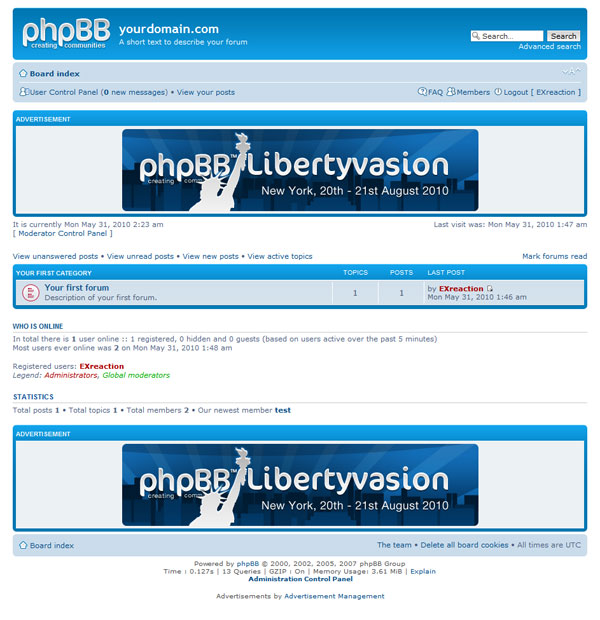
Inserting ads in phpBB3

Recommend or present a script for managing advertising to earn money for your web site, discuss, ask for help and share experiences.

Moderators: daxion, NewsEditor

Forum rules
Recommend or present a script for managing advertising to earn money for your web site, discuss, ask for help and share experiences.
Post Reply
User avatar
NewsEditor
Moderator
Moderator
Posts: 47
Joined: November 19th, 2011, 8:14 pm
Location: Internet
Contact:

Inserting ads in phpBB3

Post by NewsEditor »

This post have its content collected from the following source:
phpBB Knowledge Base - Inserting ads in phpBB3

Before you implement any of what is suggested in this post, as a preparation to avoid damage and understand what you are doing and why; FIRST please read this post TO THE END and open the above linked original article in the phpBB Knowledge Base.

It is a good idea to make as little modification as possible to phpBB core files, so that the upgrade procedure can work without troubles. This way, every time you want to modify your ads policy/provider you just have to modify the files under directory "<your forum root>/ads/".

Create the following files:

1) <your forum root>/ads/index.html
2) <your forum root>/ads/viewforum.html
3) <your forum root>/ads/viewtopic.html

(directory "<your forum root>/ads" must be created as it is not part of phpBB3)

Insert your ads code in the above (three) files as it is provided from your ad provider, for instance Google Adsense between the body-tags.

Then make the following modifications:

1) open file <your forum root>/styles/<style name>/template/index_body.html and after the line

Code: Select all

<!-- INCLUDE overall_header.html -->
insert

Code: Select all

<!-- INCLUDE ../../../ads/index.html -->

2) open file <your forum root>/styles/<style name>/template/viewforum_body.html and after the line

Code: Select all

<!-- INCLUDE overall_header.html -->
insert

Code: Select all

<!-- INCLUDE ../../../ads/viewforum.html -->

3) open file <your forum root>/styles/<style name>/template/viewtopic_body.html and after the line

Code: Select all

<!-- INCLUDE overall_header.html -->
insert

Code: Select all

<!-- INCLUDE ../../../ads/viewtopic.html -->

4) save and close all files


PLEASE NOTE: for this modification to be effective you must clear the cache (there is a button for that in the ACP home page).
daxion
Founder
Founder
Posts: 134
Joined: November 7th, 2011, 7:06 pm
Location: Yekaterinburg, Sverdlovsk Oblast, Russia
Contact:

Re: Inserting ads in phpBB3

Post by daxion »

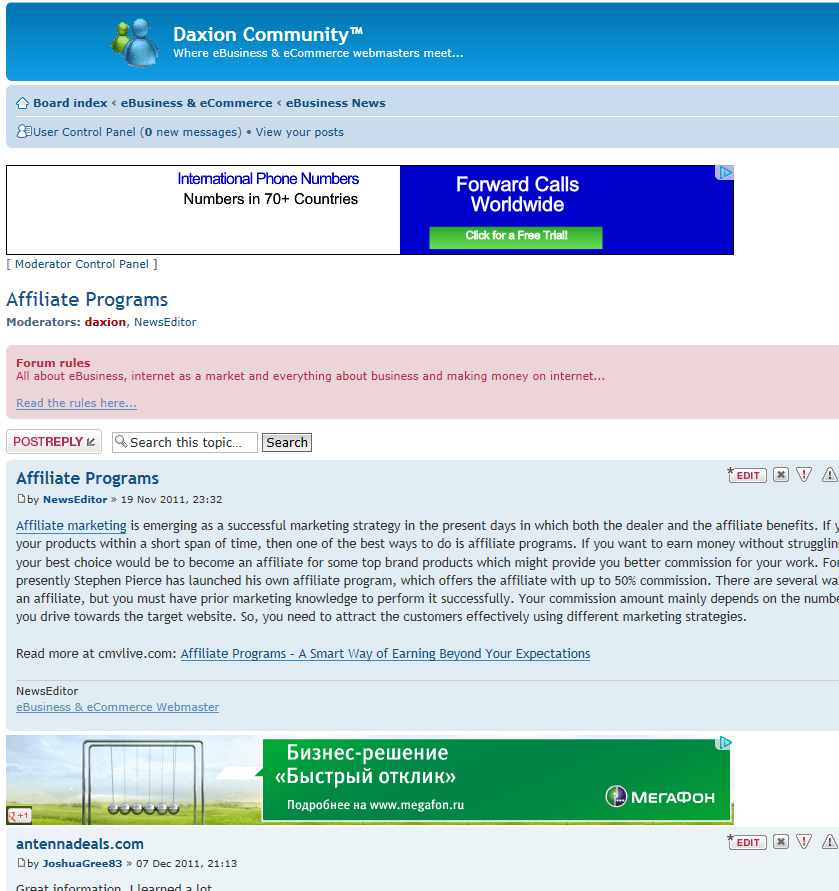
The procedure described here produce ads in the location and manner seen on this picture:
Image

Apparently, this is used at this web site.
Björn Snellman
Founder & Administrator of DAXION community™

http://www.daxioncommunity.com
User avatar
NewsEditor
Moderator
Moderator
Posts: 47
Joined: November 19th, 2011, 8:14 pm
Location: Internet
Contact:

Re: Inserting ads in phpBB3

Post by NewsEditor »

This post have its content collected from the following source:
Knowledge Base - Advertisements in phpBB3

It is so important, I will repeat myself; Before you implement any of what is suggested in this post, as a preparation to avoid damage and understand what you are doing and why; FIRST please read this post TO THE END and open the above linked original article in the phpBB Knowledge Base.

Important note: Check with your ad provider before you put your ads in the header or footer. Some providers (like Google AdSense) only allow ads on pages that have actual content like the view topic or view forum pages.


Ads in the header
If you want ads in your header, open styles/<style name>/template/overall_header.html and add your code at the very end of the file.


Ads in the footer
If you want ads in your footer, open styles/<style name>/template/overall_footer.html

Find:

Code: Select all

<!-- IF U_ACP --><br /><strong><a href="{U_ACP}">{L_ACP}</a></strong><!-- ENDIF -->
Add your code after that line. You may need to include one or two <br /> to get line breaks (newlines) if you so desire.


Ads before or after the first post in a topic
If you want ads either before or after the first post in a topic, open styles/<style name>/template/viewtopic_body.html.

For ads before the first post, find the line below and add the sample code after this line.

Code: Select all

<!-- BEGIN postrow -->
For ads after the first post, find the line below and add the sample code before this line.

Code: Select all

<!-- END postrow -->
Here is the sample ad code:

Code: Select all

   <!-- IF postrow.S_FIRST_ROW -->
   <div class="post bg2">
      <div class="inner"><span class="corners-top"><span></span></span>

      <div class="postbody">
         <h3>{postrow.POST_SUBJECT}</h3>
         <p class="author"><strong>Sponsor</strong></p>

         <div class="content" style="text-align: center;">
            Insert your ad code here
         </div>
      </div>
      
      <dl class="postprofile" id="profile0000">
         <dt>
            <strong>Sponsor</strong>
         </dt>

         <dd> </dd>
      </dl>
      
      <div class="back2top"><a href="#wrap" class="top" title="{L_BACK_TO_TOP}">{L_BACK_TO_TOP}</a></div>
      <span class="corners-bottom"><span></span></span></div>
   </div>
   <hr class="divider" />
   <!-- ENDIF -->
Of course, replace "Insert your ad code here" with the ad code your provider gives you.

If you created the folder for html files, as suggested earlier in this topic, you might want to create a file in <your forum root>/ads/ folder [i.e. for example afterpost.html] and use the method with a .html file instead of inserting all this sample code in the viewtopic_body.html, but only the code provided by your ad provider into the .html file in your /ads/ folder.

PLEASE NOTE: for this modification to be effective you must clear the cache (there is a button for that in the ACP home page).
daxion
Founder
Founder
Posts: 134
Joined: November 7th, 2011, 7:06 pm
Location: Yekaterinburg, Sverdlovsk Oblast, Russia
Contact:

Re: Inserting ads in phpBB3

Post by daxion »

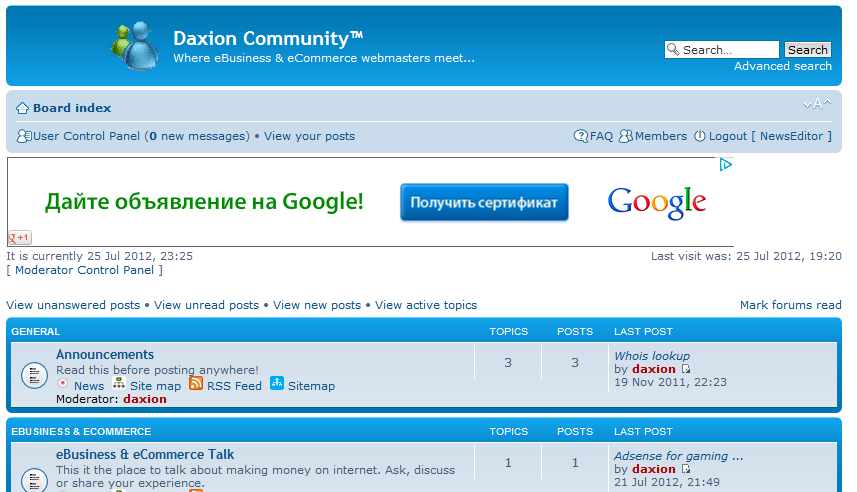
After a small alteration, by totally ignoring the sample code and creating a .html file in the /ads/ folder, I created what we see on this forum; an ad after each post. It looks like this:

Image

However, it looks like Google Adsense is not publishing more than three ads on the same page. I guess, this is really good... can't be too much, people are easily annoyed by all the commercials they are exposed to everywhere.
Björn Snellman
Founder & Administrator of DAXION community™

http://www.daxioncommunity.com
User avatar
NewsEditor
Moderator
Moderator
Posts: 47
Joined: November 19th, 2011, 8:14 pm
Location: Internet
Contact:

Re: Inserting ads in phpBB3

Post by NewsEditor »

If you prefer to have your advertisements managed and measured to some extent there are several options, of course. Here is a phpBB3 MOD that could be of interest:

Advertisement Management MOD for phpBB
Image


If you are ready for the next level I already posted about the OpenX Source™ - Free advertisement management script, where you can manage, control and measure your advertisements on all your sites from one place.
daxion
Founder
Founder
Posts: 134
Joined: November 7th, 2011, 7:06 pm
Location: Yekaterinburg, Sverdlovsk Oblast, Russia
Contact:

Re: Inserting ads in phpBB3

Post by daxion »

This could be worth reading as well;
Google AdSense with Revive Adserver

The "Revivie Adserver" script is also ideal for managing affiliate program banners and/or mixing them with Google Adsence.
Björn Snellman
Founder & Administrator of DAXION community™

http://www.daxioncommunity.com
RobertEt
Rookie
Rookie
Posts: 1
Joined: August 24th, 2016, 10:33 pm
Location: Slovakia
Contact:

I truly appreciate this forum topic.Thanks Again. Fantastic.

Post by RobertEt »

I truly appreciate this forum topic.Thanks Again. Fantastic.
Last edited by daxion on September 20th, 2017, 1:29 pm, edited 1 time in total.
Reason: link removed
Post Reply